
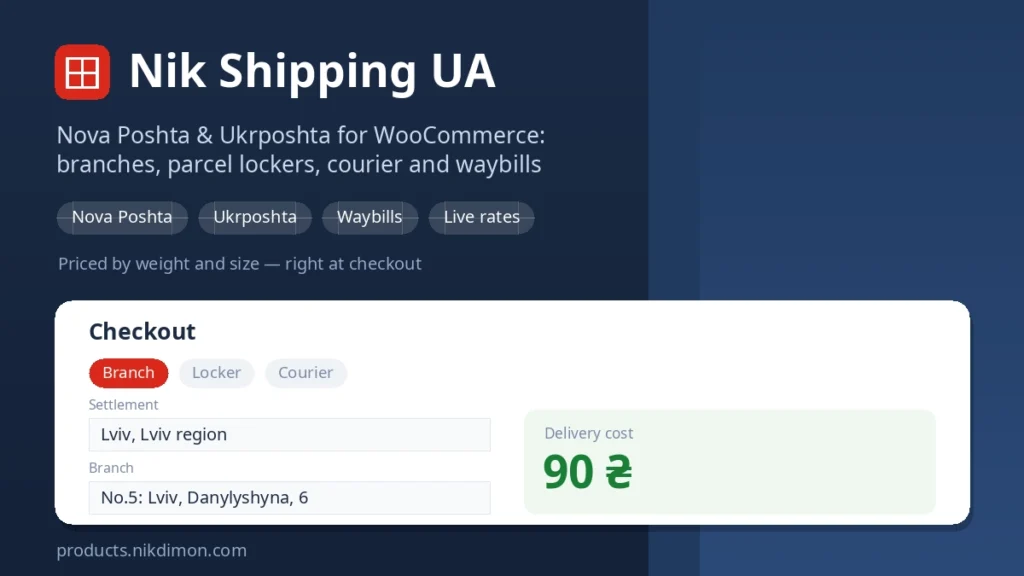
Nik Shipping UA — Nova Poshta & Ukrposhta for WooCommerce
Nik Shipping UA connects your store to the two carriers Ukrainian shoppers actually use — Nova Poshta and Ukrposhta — and covers the whole path from checkout to a printed label. The customer picks their branch, parcel locker or street address right at checkout, and you create the waybill from the order screen, print it and stick it on the box. No filling in forms at the counter.
The plugin installs like any WordPress plugin. A dedicated “UA Shipping” entry appears in the admin menu, right below Settings — no digging through submenus.
Delivery methods right at checkout
- Nova Poshta — branch, parcel locker, courier to the door, freight branch.
- Ukrposhta — post office and courier to the door.
- Settlement, branch and street search with autocomplete right in the checkout — from the carrier’s live directory, not a static list.
- The chosen branch or address is repeated in the order confirmation and in the emails.
Accurate cost calculation
The plugin asks the carrier for a live tariff based on the weight and dimensions of the cart — the same price the customer would see on the carrier’s own site. Volumetric weight is taken into account. Dimensions come from the product data: every product has fields for packed weight and size, cargo type and a “separate place” flag, and the delivery cost is calculated on the fly.
If the carrier does not answer, a fixed price steps in. A free-shipping threshold, a flat or percentage handling fee and weight and order-total limits are configured separately.
Waybills without a trip to the branch
- One-click waybill creation from the order screen — weight, places, dimensions and declared value are pre-filled from the order.
- Printing of the waybill and the 100×100 label.
- Bulk creation, printing and deletion for a list of orders.
- Automatic waybill creation when an order reaches a chosen status.
Money and businesses
- Cash on delivery with a choice of who pays the transfer fee.
- Several sender profiles — different sole traders, cities or branches per delivery method. Handy when a store ships from more than one business.
Tracking and notifications
- Parcel statuses update on a schedule; the order status changes automatically according to your mapping.
- An email to the customer with the tracking number as soon as the waybill is created.
- An API request log — if something goes wrong, you can see exactly what the carrier answered.
Set up in a few clicks
Paste the Nova Poshta API key from the business cabinet — the plugin checks it and loads the sender for you. For Ukrposhta enter the Bearer and token issued under your contract. The “Add to a shipping zone” button creates a “Ukraine” zone and adds the chosen methods to it. A REST API exposes waybill creation to external systems — a CRM or warehouse software.
Requirements: WordPress 6.2+, WooCommerce 7.0+, PHP 7.4+. The interface is translated into Ukrainian and Russian. Compatible with HPOS and the block checkout.
Installation and licence
- Buy a subscription here and download the archive in your account.
- Upload the archive under Plugins → Add New → Upload Plugin and activate it.
- Open UA Shipping → Licence and enter the key from your account.
- On the Nova Poshta and Ukrposhta tabs enter the carrier keys and confirm the sender.
Updates arrive straight into the WordPress admin, like any regular plugin. The licence covers your domain and all its subdomains. Without an active key the storefront and checkout keep working on the fixed rates, but live carrier tariffs and waybill creation are switched off.
Questions about the plugin
What is included in the subscription?
The whole plugin: every delivery method of both carriers, live cost calculation, waybills with printing and bulk actions, cash on delivery, several senders, automatic waybill creation, customer notifications, tracking and a REST API. Plus updates and support for the whole subscription period. There is no separate cut-down free version — you get the full solution from the start.
Where do I get the Nova Poshta key?
In the business cabinet: Settings → Security → My API keys. The plugin checks the key and loads the sender data for you.
What if I don’t have an Ukrposhta contract yet?
Ukrposhta issues the Bearer and token to business clients under a contract. Until you have them you can switch on sandbox mode and work against the test server, while using Nova Poshta in production.
Where do the parcel dimensions come from?
From the product data. The plugin adds packed weight and size fields to each product — they drive both the delivery cost and the waybill. If the fields are empty, the WooCommerce weight and dimensions are used, and failing that, the defaults from the settings.
The branch list is empty — what now?
Nova Poshta limits how often the directory can be read. The plugin retries and caches the whole list for a day — wait a moment and reload the page.
What happens after the subscription ends?
The plugin keeps working but stops receiving updates and carrier API access: live calculation and waybill creation switch off, while checkout stays on the fixed rates.
Reviews ★★★★★ 5.0 out of 5
-
★★★★★ ✓ verified user 26.07.2026
Крутое решение для быстрой и беззаботной работы с почтовыми системами. 15 минут и уже все готово. Доволен, будем работать.
Reviews can be left by users who have downloaded or purchased this plugin — that is why every review here is genuine.