← All products

Nik Product Feeds UA — Google Merchant, Meta, Rozetka & Prom.ua feeds for WooCommerce

Nik Product Feeds UA — Google Merchant, Meta, Rozetka & Prom.ua feeds for WooCommerce

Nik Product Feeds UA turns your WooCommerce catalogue into the exact feed each platform expects and serves it at a fixed URL that the platform refreshes on its own schedule. Set it up once and your products flow into Google Shopping, Meta catalogues and the biggest Ukrainian marketplaces.

See a live sample of every feed →

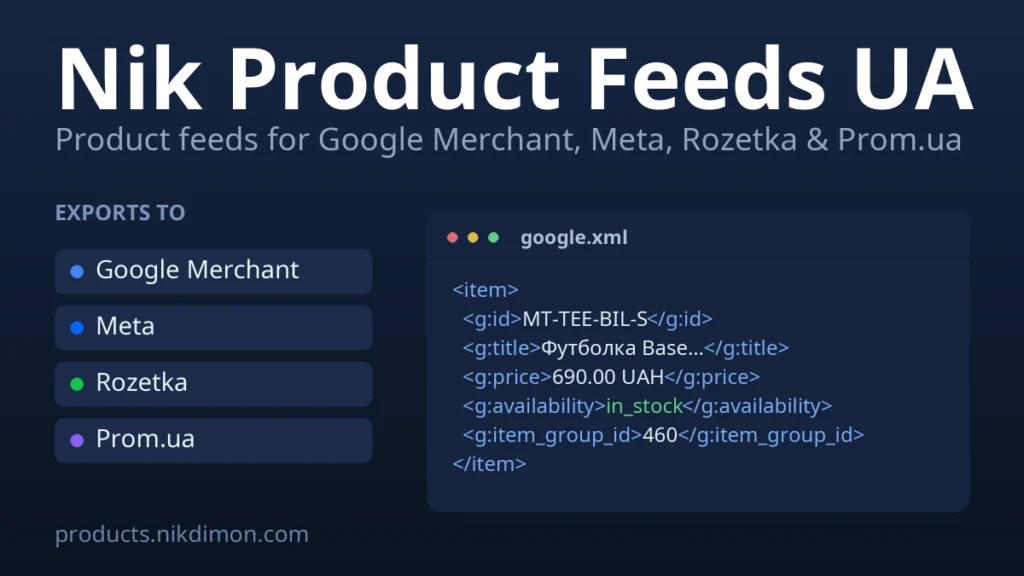
Four feeds, one plugin

  • Google Merchant — RSS 2.0 with the Google namespace: variations grouped by item_group_id, GTIN/MPN/brand and identifier_exists handled the way Google expects.
  • Meta (Facebook & Instagram) — the same catalogue tuned for Meta, including quantity_to_sell_on_facebook and Meta’s availability wording.
  • Rozetka — a YML price list with categories, params, vendor code, stock quantity and the old price shown on sale.
  • Prom.ua — YML with Ukrainian name_ua / description_ua, quantity_in_stock and keywords.

Built to stay out of the way

  • Feeds are streamed straight to files, so a catalogue of any size uses a tiny, flat amount of memory.
  • The feed URL serves a cached static file with proper caching headers and conditional-GET, so marketplace polling never slows your shop.
  • Feeds rebuild automatically when you edit products and on a schedule you choose — or with one click.
  • Sensible field-mapping defaults for a typical Ukrainian store (brand, colour, size, material), all overridable.
  • Full support for variable products: every variation becomes its own offer with its own price, image and identifiers.

How it works

Copy the feed URL from the plugin and paste it into Google Merchant, Meta Commerce Manager, Rozetka or Prom.ua as a scheduled / URL import. That’s it — the plugin keeps the file fresh and the platform re-fetches it on its own.

Requirements

WooCommerce 7.0+, WordPress 6.0+, PHP 7.4+.

Reviews

No reviews yet — be the first to share your experience.

Reviews can be left by users who have downloaded or purchased this plugin — that is why every review here is genuine.

Frequently asked questions

Is the price one-off or a subscription?

If a plugin has a Pro version, the price is always for a subscription. A plugin cannot be written once and forgotten: new versions of WordPress, WooCommerce and PHP keep coming out, third-party APIs change, and the code has to be checked and reworked all the time. The subscription covers a share of that ongoing work and support — it is not paying for the same purchase twice. Free versions stay free forever and need no subscription.

What if it does not suit me — can I get a refund?

Yes. Within 14 days of the first payment we refund in full, no questions asked. Renewals are not refundable, but you can cancel the subscription in your client area at any time — the next charge simply will not happen. Details are in the public offer.

Will the plugin keep working if I do not renew?

The free part of the plugin keeps working — your site will not break and no data is lost. What switches off is the Pro features, updates and support: the licence key stops being confirmed by our server. You can bring it all back at any time by subscribing again for the same domain — your settings stay where they are.

How do I work on a test domain?

You do not need a separate licence for testing. The key is registered for your main domain — say example.com — and works on all of its subdomains: staging.example.com, dev.example.com, test.example.com and any others. Install the plugin on a subdomain and work with the same key. If the site moves to another domain, you can change the licence domain in your client area (no more than once every 30 days).

What does the subscription support include?

Priority replies in the client-area chat and by e-mail, help with installation and setup, diagnosing conflicts with other plugins and themes, fixing bugs in the plugin itself, and every update released during your subscription.

What is not covered by support?

Custom development for your specific tasks, edits to your theme or functions.php, fixing incompatibilities with heavily customised themes and third-party plugins, and general site, hosting or WordPress setup. We do all of that — as separate paid work.

Will the plugin work on my site?

The PHP, WordPress and WooCommerce requirements are listed on every product page. We test our plugins on current versions and on popular themes — compatibility with most of them is complete, but heavily customised or exotic builds cannot be guaranteed. That is exactly why every product has a free version: install it and make sure everything works before paying for Pro.

I need specific functionality — can I order customisation?

Yes. Describe your task in the support chat and we will estimate the time and the cost. If the improvement is useful to everyone, we add it to the plugin — and then you get it for free.