
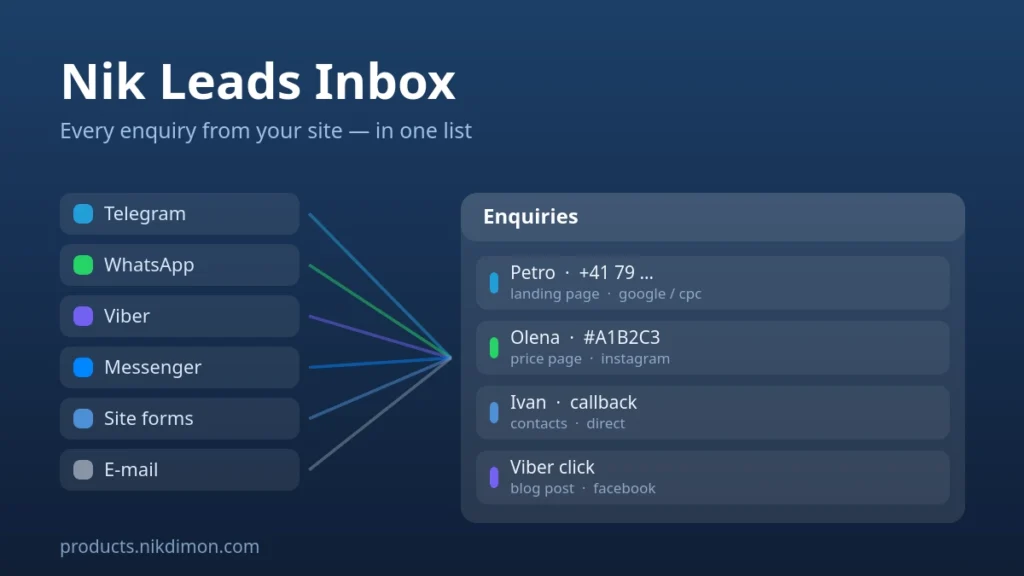
Nik Leads Inbox — every enquiry from Telegram, WhatsApp, Viber and forms in one list
Enquiries reach a website through half a dozen doors and leave no trace behind them. A form submission lives only in an e-mail that may never arrive. Someone who taps your WhatsApp button disappears into a phone app, and next week nobody can say which page — or which advert — brought them. Nik Leads Inbox keeps all of it in one list inside your own WordPress admin, with the source of every single enquiry attached.
What it collects
- Contact form submissions. Contact Form 7, WPForms, Elementor Pro Forms and Fluent Forms are saved before the notification e-mail is sent — so an enquiry survives even when SMTP fails. That is precisely the moment leads normally vanish.
- Any other form. An optional safety net reads the notification e-mail your form sends and turns it into an enquiry, without modifying the mail itself. No integration required.
- Clicks on your messenger links. Every link to Telegram, WhatsApp, Viber or Messenger anywhere on the site is recorded with the page, the referrer and the campaign of that visit. Your theme and your buttons stay untouched.
- Telegram conversations. A bot of your own receives visitors’ messages, and they appear in the same list with the whole thread.
- Its own contact form.
[nik_leads_form]for sites with no form plugin at all.
The part nobody else solves: the source survives the jump to a messenger
A click tells you the page. Pressing START in Telegram tells you the person. Nik Leads Inbox stitches the two halves together — the link to your bot carries a per-visitor mark, the bot sends it back, and one enquiry appears with both the visitor and the page, campaign and referrer they came from.
WhatsApp never tells a website who opened the chat, so there the plugin puts a short code into the prefilled message. The visitor sends you #A1B2C3 along with their question, and you find that exact entry — with its page and campaign — in the list.
Working with the enquiries
- One list. Filters by channel and status, full-text search, and a badge in the menu counting the unanswered ones.
- An enquiry card. The whole conversation, the form fields exactly as the visitor filled them, a private note, an assignee — and one-click buttons that open the chat with that person in Telegram, WhatsApp or Viber, or ring them, or write to them.
- Two-way Telegram. Reply from the WordPress admin, or from Telegram by replying to the enquiry card. Both halves of the conversation are stored on the site.
- Notifications. New enquiries go to your e-mail and to a Telegram chat or team group at once. In topics mode each enquiry gets its own topic in a supergroup, so nothing gets mixed up.
- Team workflow. “Take it” and “Close” buttons right under the card in Telegram, statuses and an assignee on the site.
- CSV export with the campaign columns, ready to open in Excel.
Also included
- A floating contact button with your messengers — position, colour and mobile-only mode.
[nik_leads_buttons]— a row of messenger buttons, as buttons or as icons.- Spam protection that needs no captcha: a honeypot, a minimum fill-in time and a per-visitor rate limit.
- Repeat clicks on the same button are merged instead of cluttering the list.
- Your own testing is ignored while you are logged in.
- Interface in English, Russian and Ukrainian.
Personal data stays yours
Everything is stored in your own database and sent nowhere else — there is no external service in the loop. The plugin answers the built-in WordPress export and erase requests, can delete entries older than an age you choose, lets you switch off IP logging, and adds a suggested paragraph to your privacy policy. Uninstalling never deletes your enquiries unless you explicitly ask it to.
Good to know
- The Telegram bot is optional — without it the plugin still collects forms and link clicks. Creating one in @BotFather takes about two minutes, and the “How to install” tab walks through every step with ready-made links.
- Telegram requires HTTPS for its webhook, so the site needs a valid SSL certificate.
- Outgoing messages to WhatsApp and Viber need those platforms’ paid business APIs, so replies from inside WordPress are Telegram-only. For the others the card opens the chat in the app.
- WooCommerce is not required. Works on any WordPress site.
Reviews
No reviews yet — be the first to share your experience.
Reviews can be left by users who have downloaded or purchased this plugin — that is why every review here is genuine.