
Nik Google Reviews
Nik Google Reviews puts your real Google reviews on your website — the average score, the star rating, the number of ratings and up to five of the latest reviews in full — with a single shortcode: [google_reviews]. Show them as a list, a responsive grid or a built-in slider, style every detail from one Design tab, and even place a live map of your business beside them.
And it does it the legal way. Instead of scraping, it uses the official Google Places API (v1) and never keeps a permanent copy of your reviews — it fetches them from Google and (optionally) caches the result for a short, self-refreshing period, exactly within Google’s policy. The «Powered by Google» attribution is always shown.
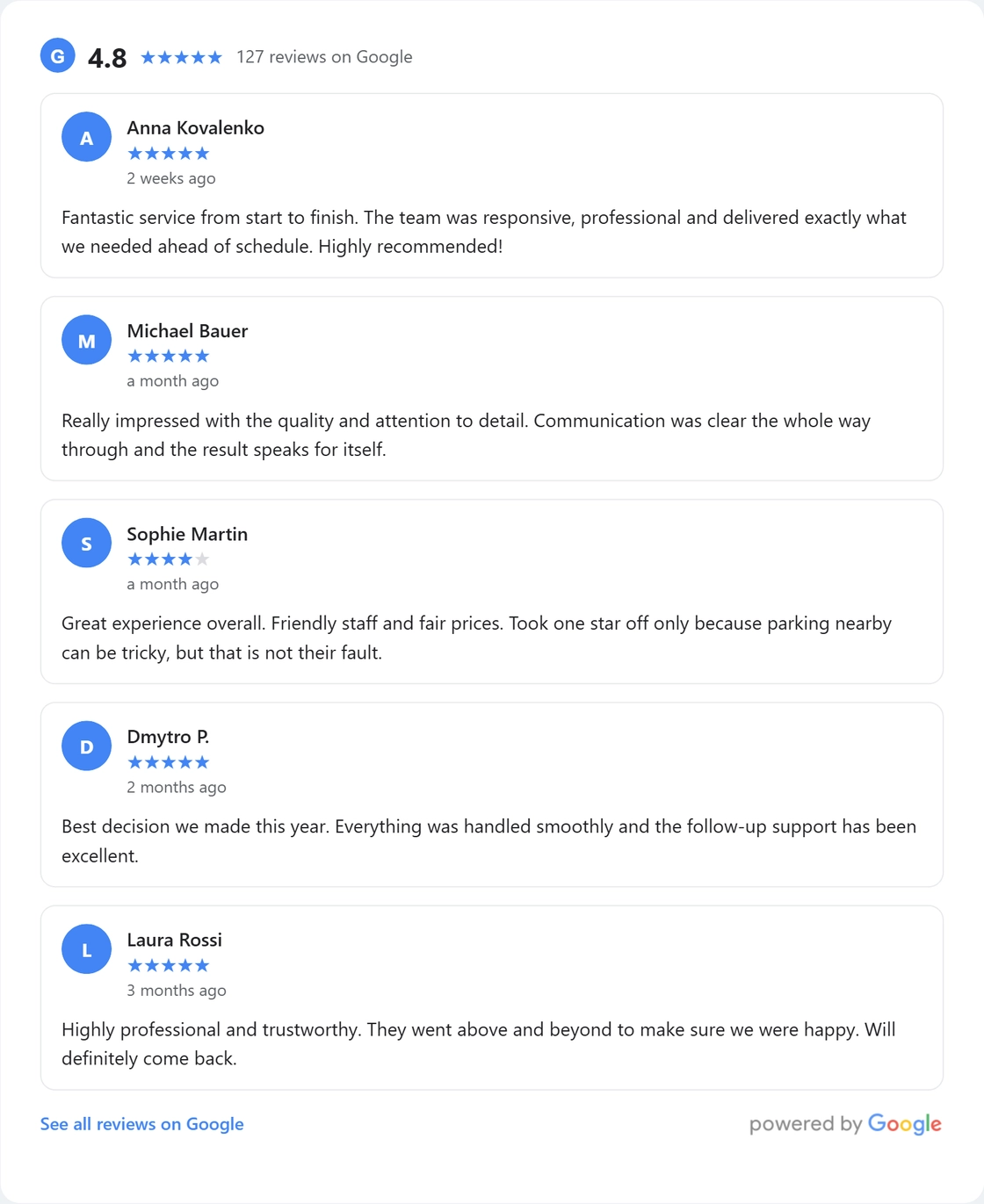
What your visitors see
- Rating summary. The average score, a row of stars and the total number of Google ratings.
- Up to 5 latest reviews. Author, avatar, star rating, relative date and the full text.
- A link to Google. An optional «See all reviews on Google» button.
- Your language. Reviews are requested in the site language when Google has them.
Four ways to show your reviews
- List — a classic, clean vertical column.
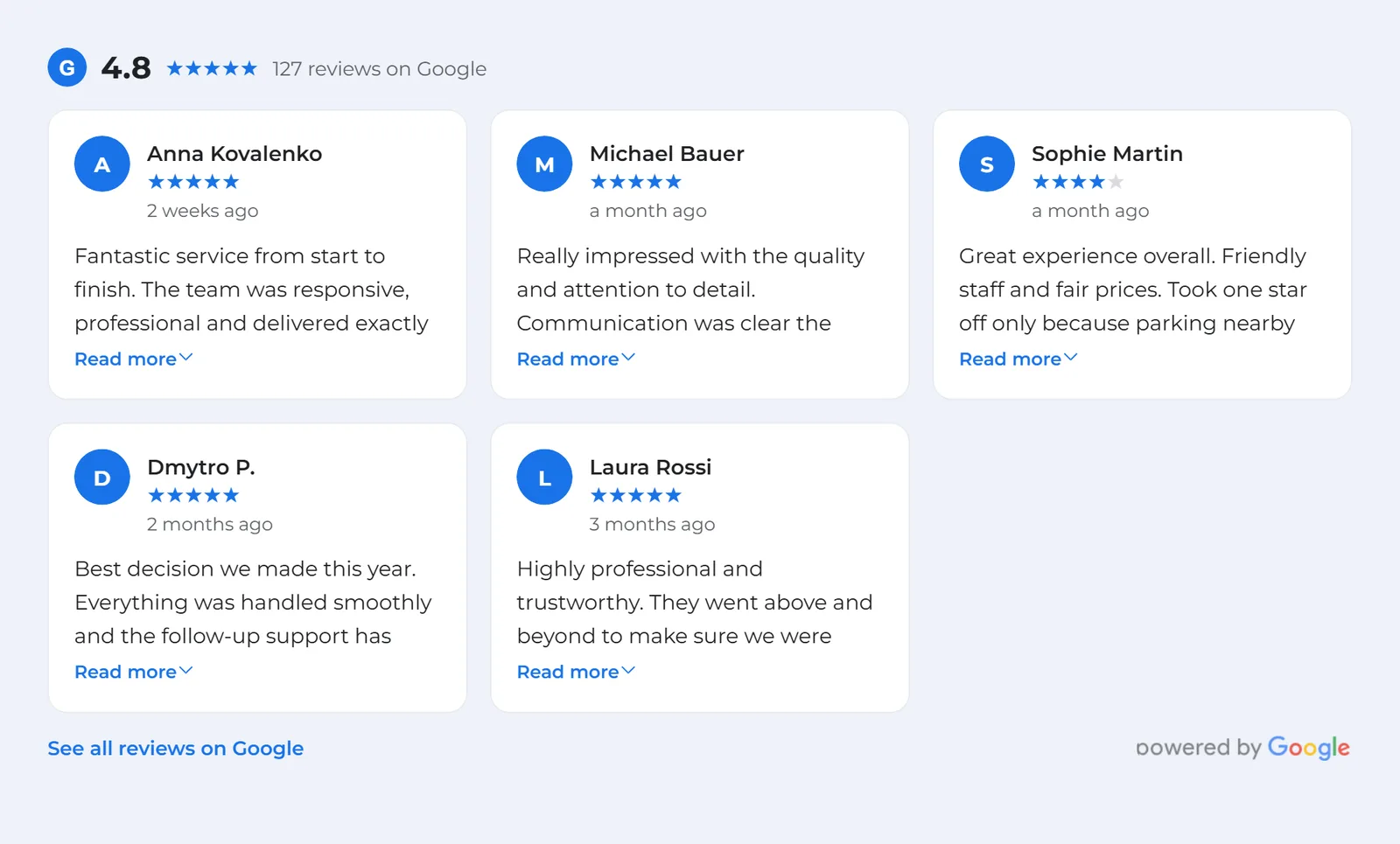
- Grid — a responsive grid; choose the number of columns for desktop, tablet and mobile independently.
- Slider — a built-in, touch-friendly carousel (see below).
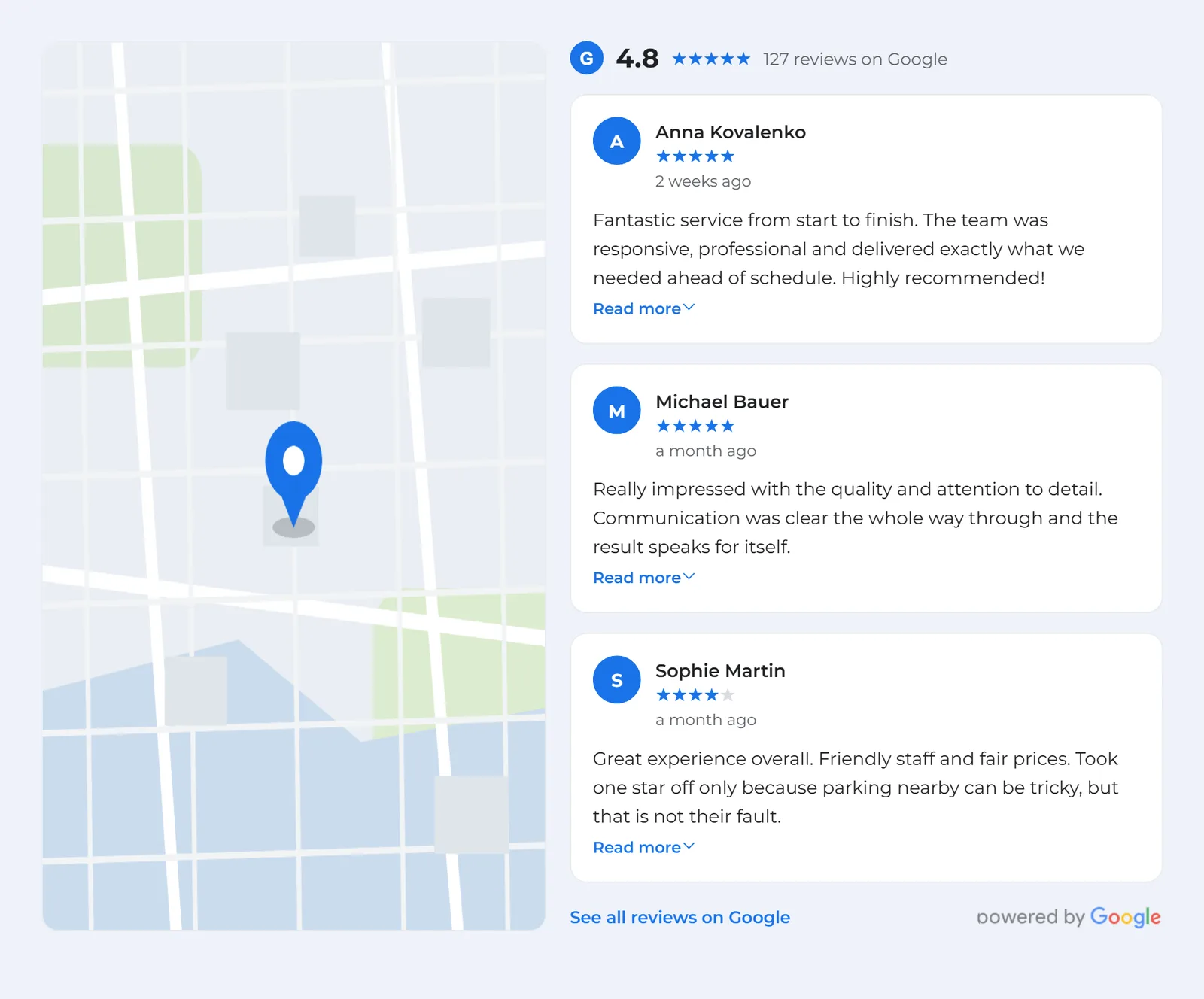
- Map + reviews — the reviews right next to a map of your venue (the «split» layout), with adjustable map width and side.
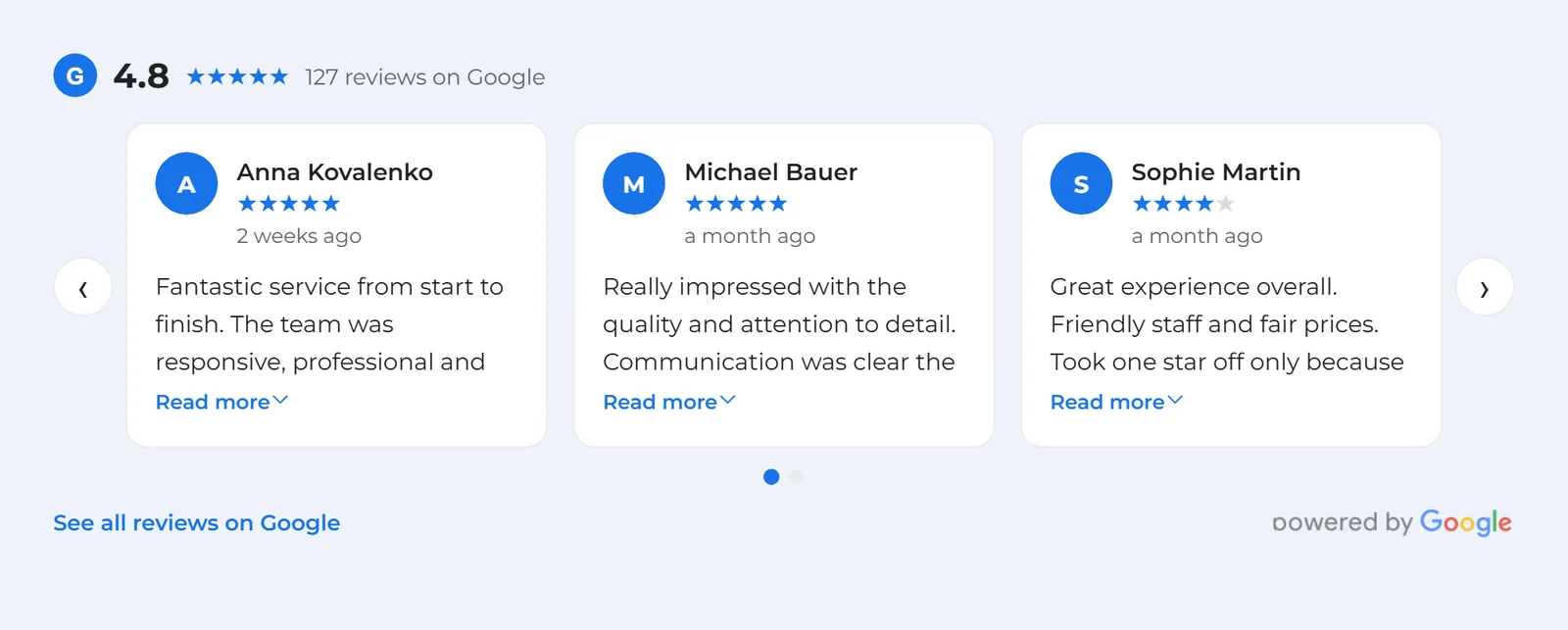
A built-in, responsive slider
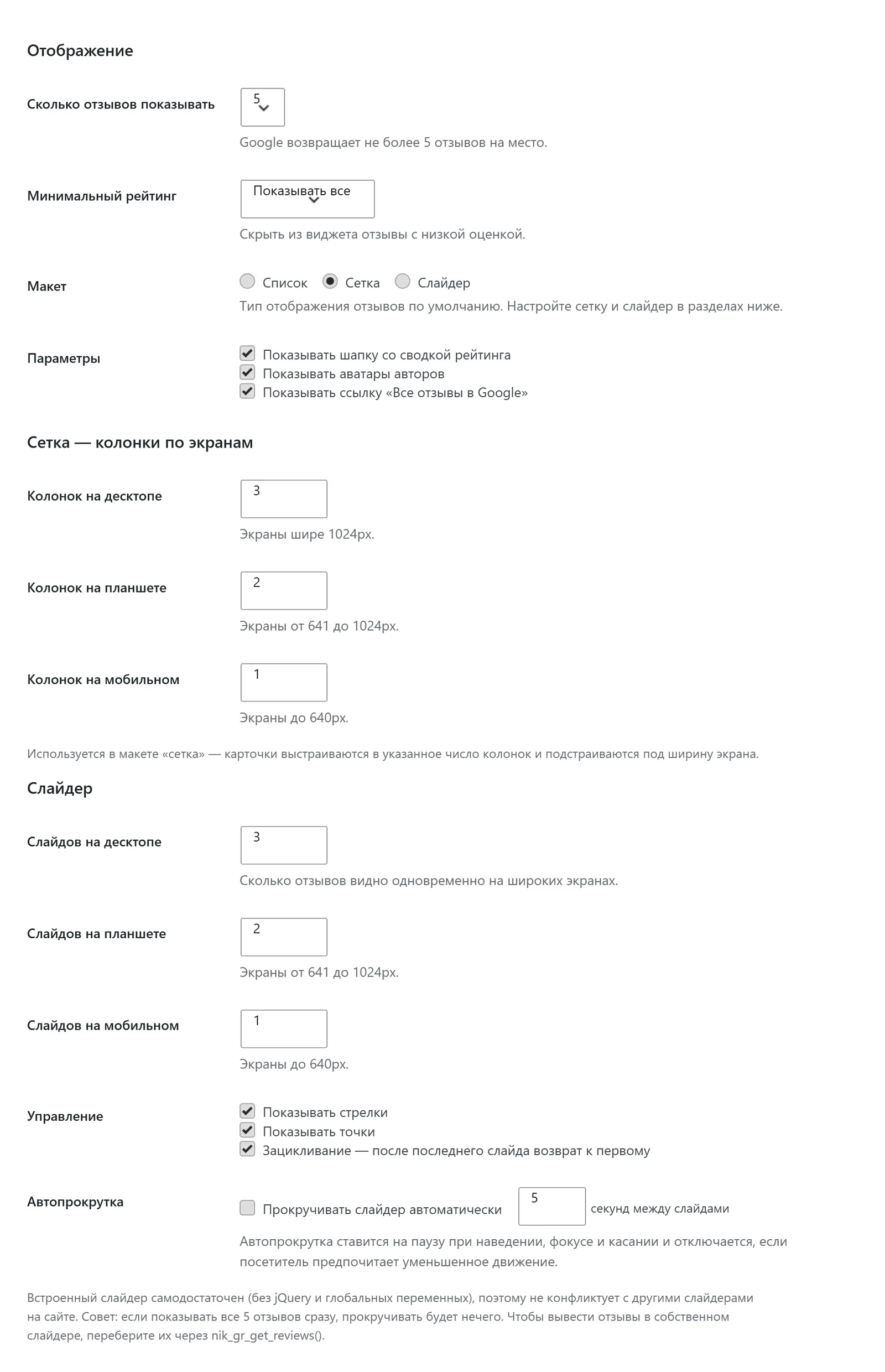
Turn your reviews into a carousel without any extra plugin. Decide how many reviews are visible at once — separately for desktop, tablet and mobile — and switch on arrows, dots, autoplay (with your own interval) and looping. It is completely self-contained: no jQuery and no global scripts, so it never clashes with a slider your theme already loads. Autoplay pauses on hover, focus and touch, and respects the visitor’s reduced-motion setting. Prefer your own slider library? Loop the reviews yourself with the nik_gr_get_reviews() helper.
A full Design tab — every detail, no code
All of the styling lives on one Design tab, so everything about how the widget looks is in one place:
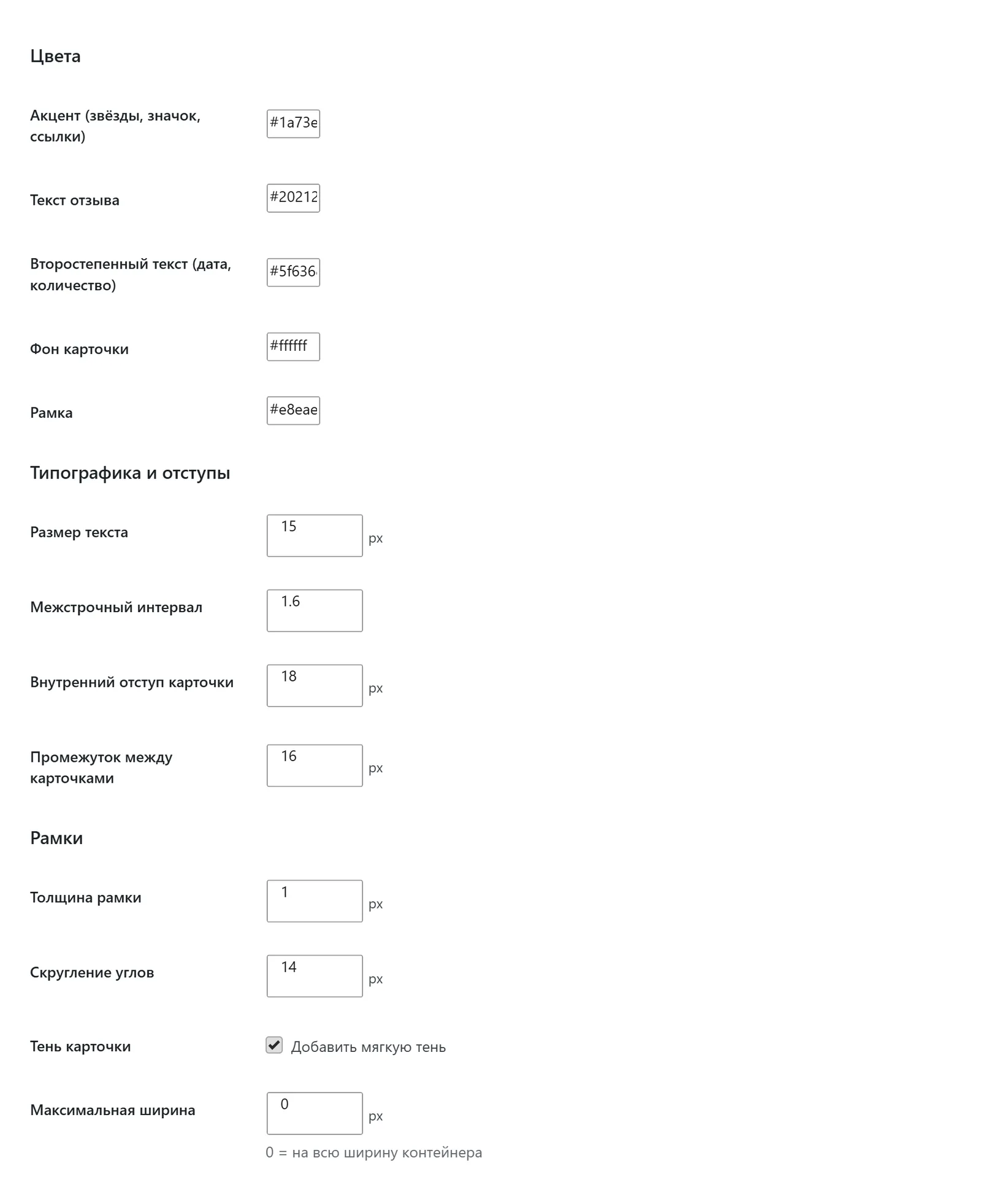
- Colours: accent (stars, badge, links), review text, secondary text, card background and border.
- Typography & spacing: text size, line height, card padding and the gap between cards.
- Box: border width, corner radius, an optional soft shadow and a maximum width.
- Responsive layout: grid columns and slider slides-per-view for desktop, tablet and mobile.
- Collapse long reviews after a chosen number of lines, with an automatic «Read more / Show less» toggle that only appears when the text is actually trimmed.
Show a map of your business
Add a Google map with your venue’s marker — beside the reviews (the split layout) or on its own anywhere with [google_reviews_map]. The map height is flexible: a fixed pixel height, an aspect ratio (like 16:9) that scales with the width, or a height that matches the neighbouring reviews column. On phones the map automatically goes full width above the reviews. The map uses Google’s Maps Embed API — just enable it on your key together with the Places API.
Find your Place ID without leaving WordPress
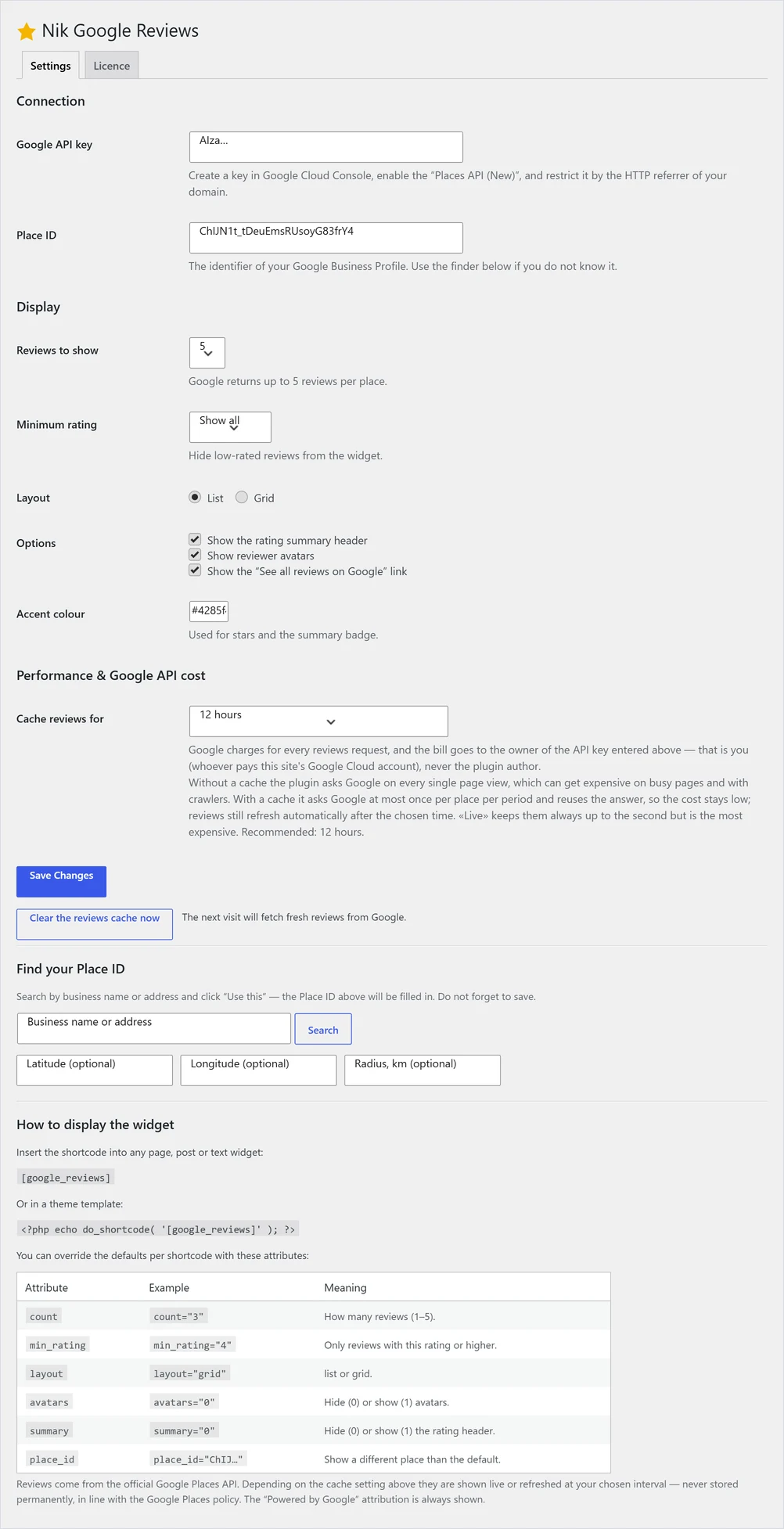
No external tools required: type your business name or address and the built-in finder returns the matching places — with their rating and review count, so you pick the business card and not an address — click «Use this» and the Place ID is filled in for you. The connected place (name and address) is shown right next to the field.
Shortcodes
[google_reviews]— the full widget. Attributes:count,min_rating,layout(list / grid / slider / split),columns,per_view,arrows,dots,autoplay,loop,avatars,summary,collapse,place_id.[google_reviews_rating]— just the score, stars and rating count, to drop anywhere: a header, a footer or next to a title.[google_reviews_map]— a standalone map of your venue (height,zoom,size,ratio).- Developers can loop the reviews in a theme template with
nik_gr_get_reviews()to build any custom markup or feed their own slider.
Your Google API — and why caching matters
The reviews come from Google’s paid Places API, billed to your own Google Cloud key — never to us, and with no per-view fee from our side, so you can show the widget as much as you like. Because the reviews field is one of Google’s pricier calls, a busy page with no cache can run up a real bill. That is exactly what the cache setting is for: pick a refresh interval (from 1 hour to 3 days) and the plugin calls Google at most once per place per period and reuses the answer — turning thousands of paid requests into a handful a day. Prefer always-fresh? Choose «Live». Either way there are no display limits.
Legal, private and fast
- Official API. Google Places API (v1) — no scraping, no grey-area widgets.
- Compliant caching. Reviews are cached briefly for performance and refreshed on your schedule — or turned off for always-live — never a permanent copy, as Google requires.
- Required attribution. «Powered by Google» is always displayed.
- Lightweight. With caching on, most visits are served from the stored result with no call to Google, and the markup stays clean and theme-friendly.
Licence and updates
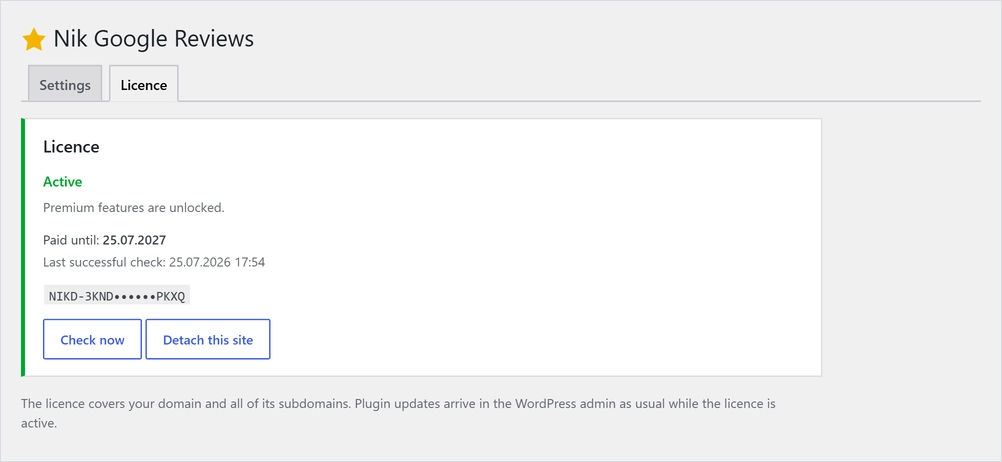
Nik Google Reviews is activated with a licence key from your account. One licence covers your domain and all of its subdomains, and updates arrive in the WordPress admin as usual while the licence is active.
Requirements
WordPress 6.0+, PHP 7.4+, and a Google Cloud API key with the Places API (New) enabled — add the Maps Embed API too if you want the map. The interface is translated into English, Ukrainian and Russian.
How to get started
- Buy a licence here and download the archive in your account.
- Upload it in Plugins → Add New → Upload Plugin and activate it.
- Open Nik Google Reviews → Licence in the admin menu and enter your key.
- Add your Google API key and Place ID (use the finder), pick a layout and a cache interval on the Design and Settings tabs, then put
[google_reviews]on any page.
Frequently asked questions
Is this allowed by Google?
Yes. It uses the official Places API and never keeps a permanent copy; the optional cache is short-lived and refreshes on your schedule, which Google’s terms allow for performance. The «Powered by Google» attribution is shown at all times.
Who pays for the Google API, and how much?
You do — the widget uses the API key you enter, billed to your own Google Cloud account (Google has a monthly free tier). We never charge per view and set no display limits. The cache setting keeps the number of paid requests — and the bill — low.
Will the slider clash with my theme’s slider?
No. The built-in slider is self-contained — plain JavaScript, no jQuery and no global variables — so it runs independently of any carousel your theme or another plugin loads. And if you would rather use your own slider, loop the reviews yourself with nik_gr_get_reviews().
How many reviews can I show?
Google returns up to five reviews per place, so the maximum is five — always the most recent ones.
Where do I get an API key?
In Google Cloud Console: create a project, enable «Places API (New)» (and the «Maps Embed API» for the map), create an API key and restrict it to your domain’s HTTP referrer.
How do I find my Place ID?
Use the built-in finder on the settings page: type your business name or address and click «Use this».
Will it slow my site down?
No. With caching on, most page views are served from the stored result without any call to Google, so it stays fast and light.
Does the licence cover more than one site?
One licence covers a single domain and all of its subdomains. For a separate domain, use a separate licence.
Reviews
No reviews yet — be the first to share your experience.
Reviews can be left by users who have downloaded or purchased this plugin — that is why every review here is genuine.