
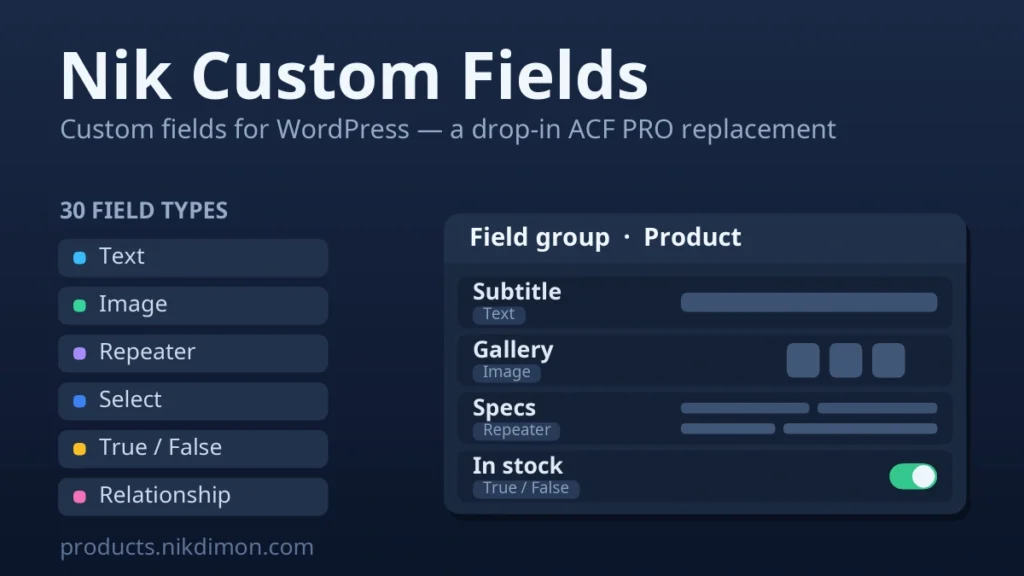
Nik Custom Fields — custom fields for WordPress
Build the fields your content actually needs — then read them back with the field functions your theme already uses. Nik Custom Fields creates field groups and attaches them to posts, pages, products, users, taxonomy terms, comments or a site-wide options page.
▶ Live demo — every field type, rendered on one page 📖 Documentation — the full API with code examples
Thirty-six field types
Text, Textarea, Number, Range, Email, URL, Password, Rich text (the real WordPress editor), Image, File, Gallery, Select, Checkbox, Radio, Button group, True/False, Link, Post object, Page link, Relationship, Taxonomy, User, Colour, Date, Date and time, Time, oEmbed, Icon picker, Google Map, Message, Accordion and Tab — plus the four that make structured content possible: Group, Repeater, Flexible content and Clone, nested to any depth. The demo page below renders every one of them, and the count on it is read from the plugin itself, so it cannot quietly fall behind.
A template API you already know
Read values with the field functions common to WordPress development — get_field(), the_field(), have_rows(), the_row(), get_sub_field(), get_field_object(), update_field() and the rest. Prefixed nik_* equivalents are always available and are the supported API. If another plugin already defines those names, this one steps aside and never redeclares them, so it is safe to install alongside whatever you run today.
Migrate an existing setup automatically
Already storing custom fields with another plugin? Nik Custom Fields detects that data and takes it over — field groups, repeaters and every stored value — and can rebuild the fields even when the original plugin has already been removed and only its values remain in the database. It reads the storage format the most widely-used custom-fields plugins share. Nothing is deleted or overwritten, both plugins can run side by side until you are satisfied, and running the import twice is safe.
Repeater rows you can actually query
Every value inside a repeater or flexible-content field is mirrored into a flat meta key, so meta_query and orderby reach inside a row with no add-on:
array( 'key' => nik_meta_key( 'specs', '0_name' ), 'value' => 'weight' )
Gutenberg blocks from a field group
Register a block from a field group and its editing UI is the plugin’s own field markup — the same repeater, conditional logic and media picker you use in a meta box, with no React build step. Values live in the block’s attributes, so they travel when a block is copied or reused and never touch post meta.
More than the basics
- Bidirectional relationships out of the box: link a product to an accessory and the product is written into the accessory’s own field automatically — and removed again when you unlink.
- Conditional logic — show a field only while another holds a given value. The rules are evaluated in the editor and on save, so a required field that is currently hidden never blocks a save it should not.
- Field groups in code or JSON. Declare a group in a theme file, or load a whole directory of JSON; import and export match on key, so ids may differ between dev, staging and production.
- Renaming is safe. Change a field’s key and its stored values are carried across — including inside repeater sub-fields — instead of being orphaned.
- Optional REST exposure per field group, with values already in their configured return format.
- Every location — attach a group to any post type or taxonomy WordPress exposes, to users, comments or an options page.
Editing outside wp-admin
Render any field group as a front-end form with nik_form() — a member area, a submission form, a listing someone edits on the site itself. The same renderers, sanitising and validation as a meta box, and permission is checked both when the form is drawn and again when it is submitted.
Built to stay fast
Field groups and their definitions are cached with version-counter invalidation, and container values are indexed. On a 20-post archive reading three formatted fields each, the query count drops from 140 to 21; ten repeat reads of the same field cost zero extra queries.
Free, and nothing is sent anywhere
The whole plugin is free and GPL-licensed: no key to enter, no trial, no feature held back, and every update is free too. It also makes no external requests of any kind — nothing about your site leaves your server.
Shortcodes
— one field’s value.— every field in a group, as a table.— a gallery field.
All three accept post_id, which also takes option, user_5 or term_12.
Requirements
- WordPress 6.1 or newer, PHP 7.4 or newer.
- MySQL 5.7+ or MariaDB 10.2+ — the schema uses JSON columns, and activation is refused on an older server rather than creating tables that cannot hold the data.
- WooCommerce is not required. Works on any WordPress site.
Reviews
No reviews yet — be the first to share your experience.
Reviews can be left by users who have downloaded or purchased this plugin — that is why every review here is genuine.